The Hidden Risks of AI Note-Takers for Lawyers
July 14, 2026
AI note-takers are quietly spreading at law firms and in-house legal teams. A bot joins the call, records everyone, transcribes the discussion, and emails around a tidy summary with action items. It feels like free productivity. But for lawyers, that convenience runs directly into the profession's oldest duty: keeping client confidences confidential. Nearly all of these tools are third party cloud services; this introduces a confidentiality and privilege risk that is entirely avoidable.
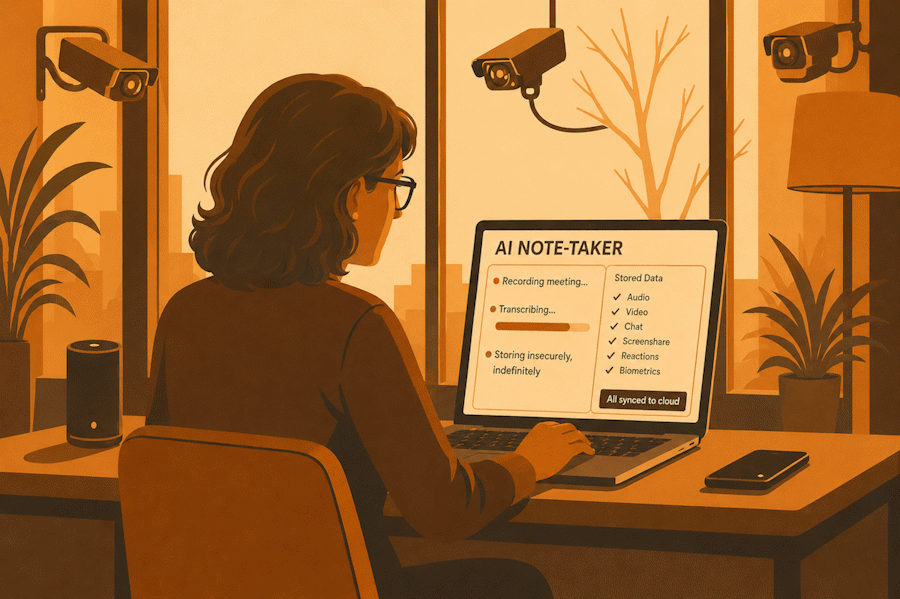
This is not an argument against AI. Summaries and action items from a long meeting are genuinely useful. The problem is where the recording goes and who else can see it. This guide walks through risks for lawyers in the United States, United Kingdom, Ireland, and Australia, and shows a simple alternative: transcribe locally with CamoVoice, anonymize with CamoText, and only then let AI summarize.
What an AI Note-Taker Actually Does With Your Meeting
When a cloud AI meeting assistant joins a call, it typically captures far more than a set of notes. Depending on the product and plan, it may record and store the full audio, the video, the screen share, the chat log, participant reactions, and speaker-identified transcripts. That data is uploaded to the vendor's servers, processed by their models, and often retained indefinitely by default. Some tools use customer content to improve their models unless you are on a specific enterprise tier with the right settings and a negotiated agreement.
For an ordinary internal standup, that may be acceptable. For a call about litigation strategy, a settlement position, a regulatory investigation, a due diligence issue, or a client's personal circumstances, it is a different matter entirely. You have taken a privileged, confidential conversation and copied it to an outside party you do not control, frequently without the informed consent of everyone on the call.
- Full audio, video, and chat uploaded to a vendor's servers
- Privileged discussion stored, often indefinitely, off your systems
- Content may be used for model training absent an enterprise DPA
- Vendor staff and sub-processors may be able to access recordings
- Names, matters, and deal terms sit in a third-party breach target
- Consent of all participants frequently overlooked
- Recording transcribed on your own device with CamoVoice
- Audio and video never leave your machine
- Transcript anonymized in CamoText before any AI sees it
- AI receives placeholders, not client names or matter details
- No cloud retention, no training exposure, no per-minute fees
- Lawyer reviews and controls what leaves the device
Why This Is a Professional Problem, Not Just an IT One
Across common-law jurisdictions, the duty of confidentiality and the protection of privilege are foundational, and none of them can be discharged by a vendor's terms of service. The channel is new; the duty is not.
In the United States, ABA Model Rule 1.6(c) requires lawyers to make reasonable efforts to prevent the unauthorized disclosure of information relating to the representation, and Formal Opinion 512 (2024) addresses generative AI specifically, flagging confidentiality, client consent, and the need to understand where data goes. Sending a privileged recording to a self-serve cloud note-taker is difficult to square with that standard.
In the United Kingdom, the SRA Code (paragraph 6.3) and Bar Council guidance make confidentiality non-negotiable, and the Law Society's guidance advises not putting confidential data into public generative AI tools at all. Under the UK GDPR, uploading a recording that contains personal data is "processing" that needs a lawful basis and, for many vendors, international transfer safeguards. In Ireland, the same GDPR framework applies under the Data Protection Commission, alongside the Law Society of Ireland's professional conduct obligations. In Australia, the Australian Solicitors' Conduct Rules (rule 9) enshrine confidentiality, and the Privacy Act's Australian Privacy Principles govern how personal information in recordings may be handled.
Generally, legal professional privilege survives only while confidentiality is maintained. Routing a privileged conversation through a third-party AI vendor raises the question of whether that confidentiality, and with it the privilege, has been compromised. This is a risk to manage carefully rather than a settled question of waiver, which is exactly why caution is the prudent instinct.
The Consent Trap
There is a second, easily missed problem: recording consent. Many jurisdictions and several US states require all parties to a conversation to consent before it is recorded. An AI note-taker that silently joins and captures a client, a witness, or opposing counsel can create exposure that has nothing to do with AI and everything to do with wiretapping and recording laws. When the recording is then shipped to a cloud vendor, you have compounded a consent problem with a confidentiality one.
Data Breaches: You Inherit the Vendor's Risk
Every cloud service that stores your meeting recordings is a target. When a note-taking vendor or one of its sub-processors is breached, your clients' privileged conversations are part of the loss, and you may carry the notification and reputational consequences. A firm that keeps recordings and transcripts on its own devices has a dramatically smaller attack surface: there is no central archive of privileged audio sitting on someone else's infrastructure waiting to be exfiltrated. The most defensible data is the data that never left your machine.
You do not have to give up meeting summaries and action items. You need to control what the AI receives, keep the recording local, and keep the lawyer's judgment at the center.
A Private Alternative: Transcribe Locally, Anonymize, Then Summarize
The CamoSuite approach separates the two things a cloud note-taker fuses together: capturing the meeting and letting AI process it. Do the first on your own device, sanitize the output, and only then bring AI in—on anonymized text, not raw privileged audio.
Step 1 — Transcribe on your own device with CamoVoice
CamoVoice is a fully offline desktop app for speech to text and transcription. Drop in a meeting recording, whether an audio file or a video, and CamoVoice transcribes it locally. It can extract the audio from a video and transcribe it on your device in one click. Nothing is uploaded, there are no per-minute API charges, no usage caps, and no dependence on a stable connection. The privileged conversation stays exactly where it started: on your machine.
Step 2 — Anonymize the transcript with CamoText
Before any AI summarizes the meeting, run the transcript through CamoText, which is fully offline as well. It detects names, organizations, and other sensitive terms and replaces them with consistent placeholders, so a "CLIENT" tag stays "CLIENT" throughout. You review the before-and-after view and can highlight anything the automated detection missed, because confidentiality is subjective to facts and circumstances and the lawyer signs off. Embedded metadata is stripped so nothing hidden slips through.
Step 3 — Let AI summarize the anonymized text
Now paste the anonymized transcript into ChatGPT, Claude, Copilot, or your firm's approved model and ask for a summary, key decisions, and action items. Label by speaker if necessary, or let the AI infer it. The model produces a genuinely useful work product using the placeholders, and it never saw a single client name or privileged detail. Afterward, CamoText can reinsert the original terms locally, so the lawyer, not the model, produces the authoritative notes.
- Record or receive the meeting file as you normally would, keeping it on your device.
- Transcribe locally in CamoVoice. Audio and video never leave your machine.
- Anonymize the transcript in CamoText and review the detections.
- Summarize the anonymized text with any AI, then reinsert original terms locally and verify before use.
Try adding this in your prompt: "This transcript is anonymized. Placeholders stand in for real parties—treat each tag consistently, and prioritize the interests of the party tagged CLIENT. If a speaker is unclear, ask before proceeding." The summary stays accurate without ever exposing an identity.
Why Offline Beats a "Secure" Cloud Note-Taker
It is tempting to think an enterprise plan with a data-processing agreement solves this. It helps, but it does not change the underlying fact that the recording still leaves your control and lands on infrastructure you cannot audit, governed by logging and retention practices you have to take on trust. Doing the sensitive steps locally cuts the problem off at the source. There is no cloud dependency, no telemetry, no recurring per-seat subscription, and no negotiated contract required to reach a defensible posture, just software that runs on the laptop you already have.
See CamoSuite for Law Firms for matter-specific workflows, or explore the full CamoSuite toolkit. For a broader treatment of the ethics questions, see our guide on legal ethics and AI and, for UK-specific detail, AI and client confidentiality for UK lawyers.
The Bottom Line
AI note-takers are not the enemy; unmanaged cloud exposure is. The convenient default, letting a bot record and store your privileged meetings on someone else's servers, is precisely the exposed one. Keep the capture and the sanitizing local, keep a human in the loop, and let AI do the summarizing on anonymized text. You keep the productivity and you keep control, which is exactly where the profession expects you to be.
Next Steps
For legal-specific examples and workflows, visit CamoSuite for Law Firms, learn more about CamoVoice for private transcription, or contact contact@camotext.ai.