What Is a PDF?
Scanned Images, Detectable Text, OCR, and Why PDFs Cost More to Use with AI
September 8, 2026
Contracts, filings, statements, medical records, board packets, and closing binders often arrive as PDFs, and they look identical on every machine that opens them. That reliability is a primary reason for the popularity of PDFs.
It's also why PDFs frustrate almost every task other than looking at them. Converting one to Word produces a mess; searching a scanned file finds nothing; copying a table produces a column of gibberish; and feeding one to an AI tool costs several times what the same words would cost as text.
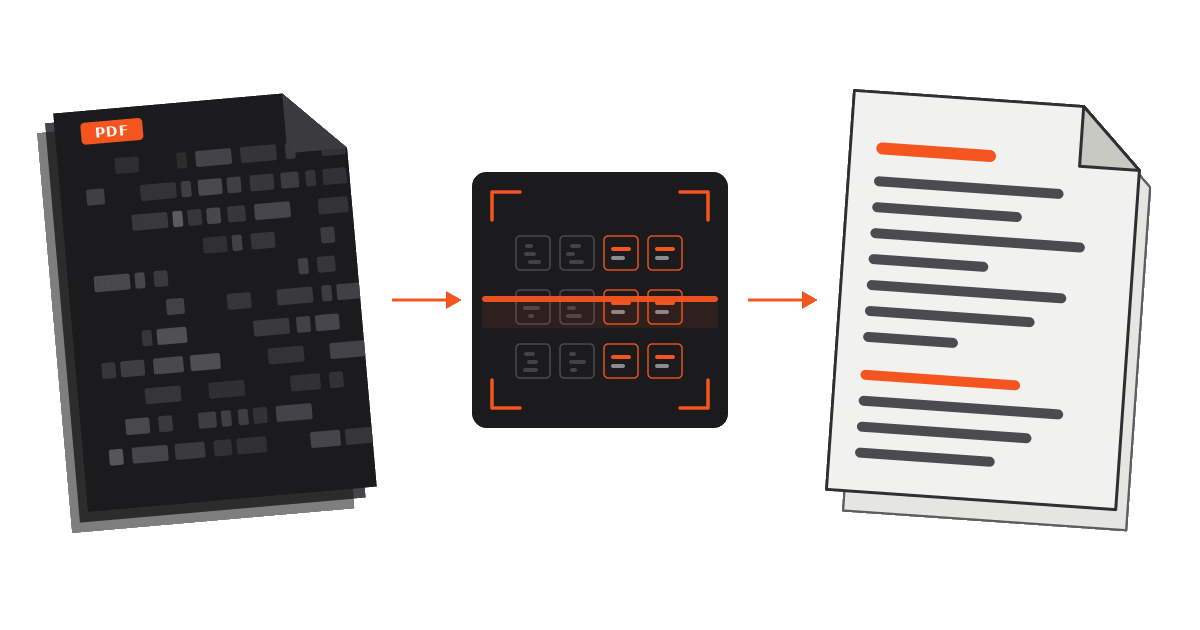
PDF Overview
- A PDF describes how a page looks, not what the document means. Closer to a printout than to a document file.
- Some PDFs contain real, detectable text. Others are just photographs of pages with no text in them at all.
- OCR is software used to "read" a PDF, guessing characters from pixels. Useful, but imperfect.
- Converting to Word means recreating structure that wasn't stored, so the result is an estimate.
- A PDF carries invisible data: author names, file paths, annotations, earlier drafts, hidden text layers.
- AI costs more to analyze PDFs than other formats because the file has to be converted or read as images before a model can reason about it.
A Set of Painting Instructions
Word processors store structure. A .docx file knows that a particular line is a Heading 2, that a block of text is a paragraph, that a table has four columns and eleven rows, and that this footnote belongs to that sentence. The software renders the page from that structure, which is why the same file reflows sensibly on a phone, in a different font, or at a different page size (and how CamoText is able to recreate .docx format in anonymized, new output).
A PDF stores the finished picture instead. Its content is closer to a list of instructions: put this glyph at these coordinates in this font at this size; draw a line from here to here; place this image in this rectangle. The format was designed by Adobe in the early 1990s to solve the problem of inconsistencies in presentation by creating a document format that displays identically everywhere. This was accomplished by freezing the layout and discarding most of the reasoning behind it.
Freezing the layout is why nothing shifts when a PDF changes hands, but also makes parsing downstream more difficult. In a PDF, there is often no such thing as a paragraph, a table, or a heading; there are only characters sitting at positions that look like a paragraph, a table, or a heading to a human eye.
Two Kinds of PDFs (and How to Tell Them Apart)
PDFs with detectable text
Created digitally, by exporting or printing to PDF. The characters are really in the file. Software can select, search, copy, and extract them.
Scanned image PDFs
Image created without explicit characters: only pixels arranged so that a human reads them as words.
Simple test: open the file and try to highlight-select a sentence, or search for a word you can plainly see on the page. If the text highlights and the search finds it, the file has a text layer. If your cursor only draws a rectangle over the page and the search comes up empty, you have an image.
There is a third and increasingly common case: a scanned document that has already been run through recognition software, so an invisible text layer sits underneath the picture. Those files search and copy, but what you copy is the software's guess at the page rather than the page itself. That distinction matters once the text is being relied on for anything, and also introduces potential data exposure vectors if a user is unaware of the two layers.
What's OCR, and Why is it So Difficult?
OCR stands for optical character recognition. It is software that examines a picture of a page and decides which characters the shapes most likely represent. Modern OCR is impressive, and on a clean, straight, high-resolution scan of ordinary printed text in a common font it is very accurate.
OCR often struggles with:
- Scan quality. Low resolution, faxes, photocopies of photocopies, and phone photos taken at an angle or under uneven light.
- Skew and warping. A page scanned slightly crooked, or photographed while curled in a bound volume.
- Marks on the page. Stamps, exhibit stickers, signatures, handwritten margin notes, staple shadows, hole punches, and highlighting that darkens the underlying letters.
- Handwriting. Recognition of cursive and mixed print remains far less reliable than recognition of typed text.
- Unusual typography. Old typewriter faces, condensed legal fonts, small print, tabular numerals, and non-Latin scripts.
- Layout. The software must decide the order in which to read what it sees. Two-column pages, sidebars, headers, footnotes, and tables routinely come out interleaved, so a footnote lands mid-sentence or two columns are woven together line by line.
- Tables. Recognising the characters in a cell is one problem; working out which cell belongs to which row and column is a separate and harder one.
The deeper problem is that the errors are usually silent. OCR does not stop and flag uncertainty: it substitutes a plausible character and moves on, so a "1" becomes an "l", a "5" becomes an "S", a decimal point disappears, and a negative sign is read as a hyphen. Nothing on screen indicates that the figure you are relying on has changed.
An AI model reading an OCR'd document inherits every OCR error and has no way to know it happened. It will reason confidently about a date, a dollar amount, or a party name that the recognition software invented. Verifying critical figures against the original page is a necessary part of the workflow.
Why Converting a PDF to Word Is So Difficult
The reason is structural: converting a PDF to a Word document asks software to reconstruct information that was thrown away when the PDF was created.
A converter has to infer, from in-file coordinates alone:
- Where words and paragraphs begin and end. Text is frequently stored as scattered runs of characters, sometimes letter by letter with positioning instructions in between. Spaces may not exist as characters at all; a "space" can simply be a gap in coordinates that the converter must interpret.
- Which lines belong together. A paragraph is a visual guess based on line spacing and indentation, which is why converted files often break into dozens of separate one-line paragraphs, or run two paragraphs into one.
- What is a table. Many PDF tables have no table object behind them, just text placed in a grid and, sometimes, drawn lines. The converter has to decide whether those lines are borders, underlines, or decoration.
- What is page furniture. Running headers, footers, page numbers, Bates numbers, watermarks, and confidentiality stamps are just more text at coordinates. They land in the middle of the document unless something identifies and strips them.
- Which font to use. PDFs embed subsets of fonts (only the characters actually used), so the exact font often cannot be reinstalled on the receiving machine. The converter substitutes something similar, and every substitution shifts line breaks, which shifts pagination, which shifts everything else.
- Reading order. The order characters appear in the file need not match the order a human reads them. Text can be painted in any sequence the producing software found convenient.
A conversion that gets all of this right on a simple, single-column, digitally created PDF is entirely plausible. A conversion that gets it right on a scanned exhibit with three columns, four tables, footnotes, and a stamp across the top is a rarity.
Why Formatting Is the Hardest Part to Preserve
Extracting the words is the easy half. Reproducing how they were arranged is where most tools fall apart, because formatting in a PDF is an appearance rather than an instruction.
Bold text may be a genuinely bold font, or the same font drawn twice with a slight offset. An indent may be a paragraph setting, or simply a different starting coordinate. A bulleted list may be a list, or a series of independent lines each beginning with a small drawn circle. A heading may carry no marker of being a heading beyond being larger and having more white space above it. A numbered heading and a paragraph that happens to start with a number look identical to software.
To output a document that mimics the original, a tool has to first classify all of this correctly, then map it onto a completely different formatting system with its own rules about styles, margins, and flow. Errors compound: one misidentified heading changes the outline; one misread table breaks the columns beneath it; one font substitution reflows the page. This is why "keep the formatting" is usually the most expensive request you can make of a PDF tool, and why the output so often needs more cleanup than retyping would have.
What Else Is Inside the File
A PDF is a container, and a container holds more than the page you see. When the file is sent externally, posted publicly, or uploaded to an AI service, everything inside it travels too.
- Inherited metadata. Exporting from Word usually carries across the author name, the organisation, and often the original folder path. A path naming the client and matter is a common and quiet leak.
- Black boxes that hide nothing. A rectangle drawn over a name covers it visually while the characters remain in the file, recoverable by selecting the page and pasting it elsewhere.
- The invisible text layer. On a scanned-and-recognised document, the recognised text sits under the image and comes along with the file whether or not you knew it was there.
- Earlier versions of the document. PDFs can be saved by appending changes to the end of the file, so previous states can remain inside and be reconstructed.
- Annotations, comments, stamps, and form fields, generally with the name and timestamp of whoever added them, including fields that appear flattened or were never displayed.
- Embedded images and attachments, which carry their own data. A photograph exhibit can disclose the camera, the date, and the GPS coordinates where it was taken.
Blurring and pixelation are often insufficient protective measures. Where the hidden value is short and predictable (an account number, a date, a national ID number), the obscured version can often be reversed by generating candidates and comparing. Even a genuinely opaque box leaves a gap of a specific width.
For more, including what this has cost some organisations in fines and sanctions, see What Hidden Information Is in Your Documents?
You cannot review what you cannot see. The only reliable way to know what a recipient (or an AI service) receives is to generate a new file containing only the content you intentionally put in it.
Why AI Processing of PDFs Costs More
LLMs read tokens, which are roughly fragments of words. Cost, speed, and context limits are all measured in tokens, and a PDF is an expensive way to deliver them.
- The file has to be preprocessed before the model can think. Plain text goes straight into the model. A PDF has to be parsed, extracted, and often repaired first. That step happens either in the AI tool's own pipeline or in code the model writes and runs; either way you're paying before any analysis begins.
- Scanned pages require OCR, or worse, image tokens. If there is no text layer, the pages are recognised, or handed to the model as images. Images are expensive: a single page rendered as an image can consume something on the order of a thousand tokens or more, against a few hundred for the same page as text. Across a two-hundred-page exhibit, the difference is substantial.
- Page furniture is billed like content. Running headers, footers, page numbers, Bates stamps, confidentiality legends, and signature blocks repeat on every page and consume tokens on every page while carrying almost no analytical value.
- OCR noise consumes tokens too. Stray characters, broken words, interleaved columns, and misread symbols all become tokens the model must read, and they degrade the quality of the answer.
- Failures cause retries. When extraction produces something garbled, the usual response is to try a different method, re-render the pages, or re-ask the question. Each attempt is billed.
- Bad structure wastes context. A model working with a badly extracted table has to spend reasoning effort reconstructing it, which lengthens the response and increases the chance of an error.
A Word document sits in the middle: it has real text and real structure, so extraction is cheap and reliable, though it still brings tracked changes, comments, and metadata along. Clean plain text or markdown is the cheapest and most predictable input of all. You see precisely what the model sees, and nothing extraneous is billed or accessed.
A Sensible Workflow for PDFs and AI
- Check which kind of PDF you have. Select some text to see if it's detected.
- If it has detectable text, extract it. Get the words out into text or markdown and read what came out before doing anything else with it.
- If it is a scan, treat the recognised text as a draft. Spot-check names, dates, and figures against the page, particularly anything you intend to rely on.
- Strip what the task does not need. Headers, footers, Bates numbers, and page furniture cost tokens and add noise.
- Replace identifiers before the file leaves your machine, using consistent placeholders so relationships across the document survive. The model rarely needs to know who the parties are in order to analyse what they agreed to.
- Send the prepared text. Keep the original PDF container out of the AI workflow entirely.
CamoText reads text-detected PDFs (along with Word, Excel, and other common formats), processes them locally on your own device with no internet connection, and writes an entirely new output containing only the visible content, with identifiers replaced by consistent placeholders and no inherited metadata. The result is a lighter, cheaper, anonymized file to hand to whichever AI tool you use, and the original never leaves your control.
Summary
A PDF is a picture of a page with, sometimes, a text layer attached. That design makes it perfect for preserving how a document looks and awkward for everything else: recognition is a guess, conversion is a reconstruction, formatting is an appearance rather than a structure, and the container quietly carries data the page does not show. When a PDF is the input to AI analysis, all of that arrives as cost, noise, and exposure.
Reducing a PDF to clean, reviewed, anonymized text before analysis addresses all four problems at once. For the workflow around that step, see Preparing Confidential Documents for AI Review.