Private Voice Typing: Dictate Into Any App, 100% Offline
April 22, 2026
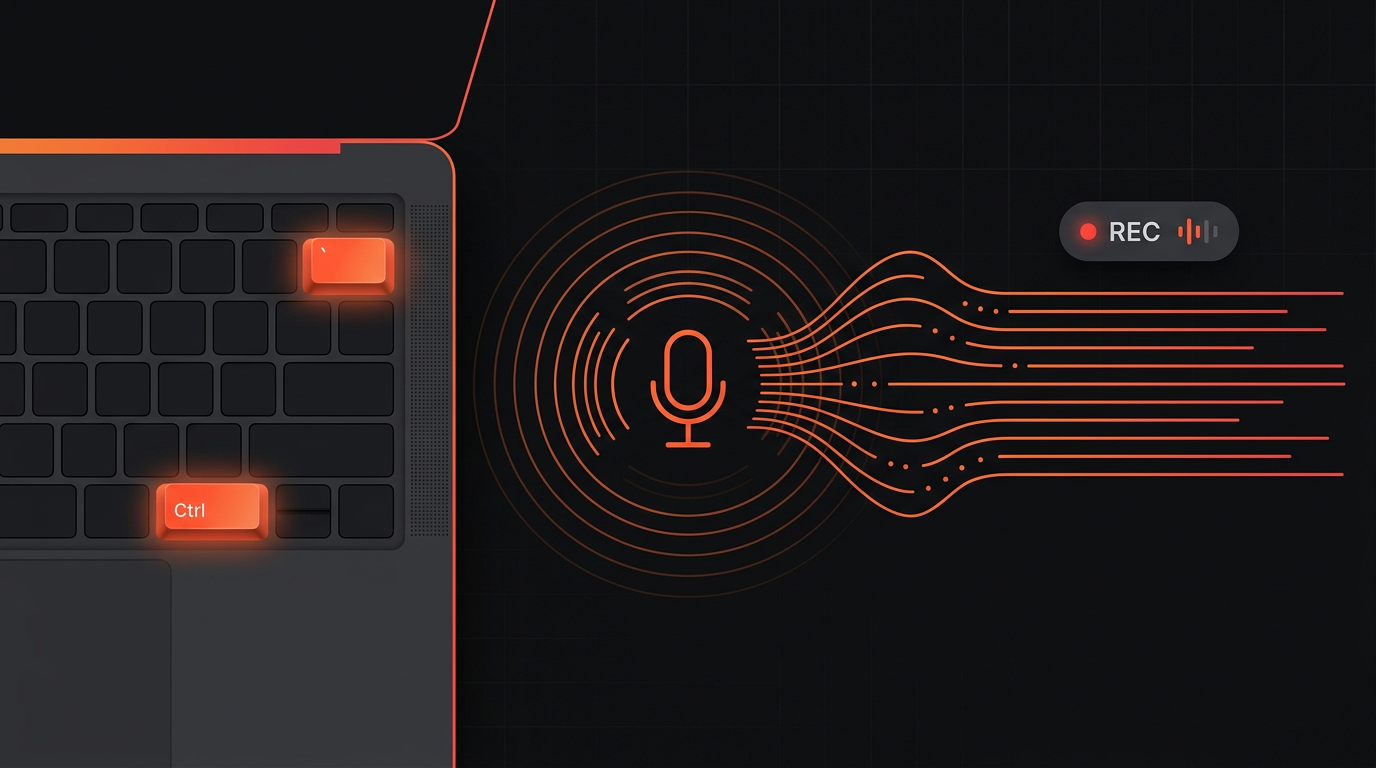
Voice typing is the modern evolution of dictation: press a hotkey in any text field, speak, and the words appear wherever your cursor already is; an email draft, a chat, a document, a browser form, an IDE, an AI prompt box.
The problem is that almost every voice-typing tool on the market achieves that convenience by shipping your audio to a remote server. Private voice typing keeps the same workflow (hotkey, speak, text at cursor) but puts the speech recognition model on your machine.
CamoVoice is a fully offline dictation and transcription app with a global voice-typing hotkey without ever sending audio to a server. It's the only modern voice-typing tool that runs fully on-device and is priced as a one-time purchase.
Voice Typing Is Faster (and Easier) Than Typing
The average typist operates around 40 words per minute. Conversational speech is around 150 words per minute. Even careful, articulated dictation lands around 100–120 WPM. That gap compounds across every email, every AI prompt, every meeting note you produce in a day. 1
Voice typing is also physically and cognitively easier. Spoken thoughts flow in full sentences, so you plan less and edit later, rather than editing while you type. It's also kinder on your wrists, your neck, and your RSI-prone fingers.
A Small Habit, Compounded
If you produce 2,000 words of written output per day, switching voice typing in for roughly half of it saves 15–20 minutes per day, or well over 80 hours a year, without changing anything else about your workflow.
The Privacy Problem With Most Voice-Typing Apps
For most cloud-based voice-typing tools:
- Every dictation is a network request. Your raw audio, including sensitive information and environment noise, is transmitted to a third party each time you press the hotkey.
- Retention policies you didn't write. Audio and/or transcripts are often retained for days or weeks "for quality improvement." Policies change.
- Cross-app context collection. Some voice-typing tools collect context about which application you're dictating into (and sometimes surrounding text).
- Subscription lock-in. Cloud voice typing almost always means monthly fees. If you stop paying, the hotkey stops working.
- Doesn't work offline. Flaky Wi-Fi, VPN blocking the endpoint, locked-down corporate laptops break the workflow.
CamoVoice's global voice typing uses the same offline engine that powers its private transcription and offline dictation workflows, on laptops and desktops alike. 2
Voice Typing Apps Compared
Here's how CamoVoice's voice typing stacks up against other popular tools at the time of writing.
| Tool | Processing | Types at cursor in any app | Model |
|---|---|---|---|
| Wispr Flow | Cloud-based | Yes | Subscription |
| Aqua Voice / Willow | Cloud-based | Yes | Subscription |
| SuperWhisper (cloud tiers) | Cloud / hybrid | Yes | Freemium + subscription |
| macOS Dictation (Enhanced) | Cloud by default | Yes | OS built-in |
| Windows Voice Access / Win+H | Cloud by default | Yes | OS built-in |
| ChatGPT / Copilot voice modes | Cloud-based | Inside chat only | Subscription |
| Dragon Professional 16 | Local | Yes | $699 one-time, Windows only |
| CamoVoice | 100% Local | Yes | $24.99 one-time |
Three things land CamoVoice in a category of its own:
- It's the only modern voice-typing tool that runs fully on-device and is priced as a one-time purchase.
- Its local AI models are bundled with the app — no external dependencies, no API keys, no downloads after install.
- Voice typing works the same on a flight, on a VPN, in a SCIF, or on a government-issued laptop with outbound traffic locked down. If the app is open, voice typing works.
AI "Voice Mode" Cost, Tokens, and Privacy
If you use voice mostly to talk to an AI (ChatGPT Advanced Voice Mode, Claude voice, Gemini Live, Copilot Voice), voice typing with CamoVoice is a better deal on three axes: money, token efficiency, and privacy.
Cost and Usage Caps
AI voice modes are subscription-gated and rate-limited. ChatGPT's Voice Mode lives behind a paid plan with a per-day or per-week cap on minutes, after which you drop back to standard quality or get locked out entirely. Claude's voice feature and Gemini Live sit inside premium tiers with their own quotas. Hit the cap mid-conversation and you're back to typing anyway.
CamoVoice is a one-time purchase with no usage caps, no throttling, and no subscription. Because it's fully private, CamoVoice has no idea how much or how you use it.
Token Efficiency and Context Windows
AI voice modes stream your audio into a multimodal model that treats that audio as input tokens and bills accordingly. Under current pricing, audio input tokens cost several times more per second of speech than the text tokens of the same content would. They also eat your context window faster, because the native audio representation is much larger than the resulting transcript.
Voice typing flips this economy around. CamoVoice transcribes your speech on-device, and only the finished text reaches the AI. You get voice-speed input while the model pays cheap text-token rates, and your context window lasts longer.
- Per-day or per-week caps with hard cutoffs
- Audio input billed at multiples of text-token rates
- Audio consumes context-window space faster
- Raw audio uploaded; typically not available in private or incognito mode
- No usage caps or throttling, unlimited dictation
- Private, cheap text tokens — not audio tokens
- Minimum context-window overhead
- Only text reaches the AI
Privacy and Review
Most AI voice modes transmit your raw audio to company servers, where it is processed, typically stored for a period of time, and—unless you take additional steps—may be used to train new models or reviewed by humans. Voice data exposes much more than text: it can reveal your accent, emotion, background noises, and even details about your surroundings and social context.3
With CamoVoice in between, the AI provider only ever sees the text of your prompt — the same text you could have typed. Your voice never leaves the machine. You can also review, edit, and redact the transcription before pressing send; not possible mid-word in a live voice conversation.
Same voice-speed input, cheaper per prompt, far less context burned, fewer third-party policies to trust, and portable across every AI tool you use. For heavy AI users, voice typing into the chat box is a strictly better-instrumented voice mode.
A Hotkey Designed for the Left Hand
Voice typing only feels natural if starting and stopping it is effortless. The wrong hotkey is its own small friction that adds up every time you use it. CamoVoice's hotkey was picked deliberately:
Ctrl + ` (or ⌃ + ` on macOS)
Both keys live on the upper-left side of standard US / international keyboards. Your left hand can reach them easily: one finger on Ctrl/Control, one on the backtick key (just left of 1, under Esc). No awkward stretches, no need to leave the mouse or trackpad.
It was also chosen to avoid collisions with shortcuts people already rely on:
- Not
Ctrl+Space/⌃Space— that's macOS Spotlight and the system input-source switcher. - Not
Cmd+Space— also Spotlight. - Not
Win+H— taken by Windows Voice Access. - Not
Fndouble-tap —Fnisn't remappable on all Windows keyboards. - Not
Ctrl+Shift+Space— used by JetBrains IDEs and several popular editors.
Ctrl+` (backtick) is one of the few remaining left-hand-only combinations that virtually no OS, IDE, browser, or productivity app uses as a system-wide shortcut. If you do happen to have it bound to something inside an app, the global hotkey still takes precedence only while CamoVoice is running.
Because starting and stopping are the same keypress, you can flip between typing and voice typing mid-sentence without breaking flow. Start a thought typing, hit the hotkey, finish it by speaking, hit it again, keep typing. Your text appears inline either way.
On-Demand and Visible, Not Always-On
A lot of voice-typing tools solve "instant hotkey" by running a background service that keeps the microphone armed or the network connection open at all times. That's a privacy and performance tax you pay every minute of the day, whether you're dictating or not.
CamoVoice's global voice typing is deliberately the opposite:
-
Mic armed only between presses. The microphone is opened when you press the hotkey and closed when you press it again. No continuous buffering, no "wake word," no permanent audio stream.
-
Visible state. When recording is active, a small live status pill appears in the top-left of your primary screen (shown as REC), with a blinking indicator and an audio-level meter. The mic is never hot without you knowing.
-
Only active while CamoVoice is running. Quit the app and the hotkey is released. No background service, no launch-at-login requirement, no hidden daemon.
-
No audio ever leaves the device. Transcription runs on the bundled models. There is no server component to CamoVoice, period.
The Voice-Typing Workflow
Three steps, once:
- Enable "Global voice-typing hotkey" in Settings.
- On macOS, allow microphone access and grant CamoVoice Accessibility and Input Monitoring permission in System Settings → Privacy & Security (one-time setup). Full walk-through in the CamoVoice User Guide.
- Press the hotkey anywhere and start dictating. Press it again to paste.
Email & messaging
Long replies, client updates, and Slack threads written at 3x speed.
AI prompt boxes
ChatGPT, Claude, Perplexity, Copilot, Cursor. Speak your prompt, review it on-screen, then press send — nothing reaches the AI you didn't approve.
Legal drafting
Memos, correspondence, and case notes — without sending privileged content to a third-party speech-to-text provider.
Clinical notes
Dictate directly into an EHR's text field. Stays on-device for HIPAA-minded practices — no upstream vendor to vet.
Why This Design Matters
- Audio uploaded to third-party servers
- Background service often running at all times
- Often collects app and context data for "quality improvement"
- Subscription required; stops if billing lapses or vendor shuts down
- Useless without internet
- Compliance burden: vendor review, DPA, audit trail
- Audio never leaves your device
- Hotkey only active while the app is running
- One-time purchase, works forever offline
- Works anywhere: planes, VPNs, air-gapped networks
- Drastically simpler privacy story for regulated environments
CamoVoice's Unique Edge
Taken together, the result is a voice-typing tool that a wide range of people can actually deploy:
-
Fully local, modern models. Bundled cutting-edge models give near-cloud-grade accuracy without any network call.
-
Opt-in, visible, single-keystroke. One hotkey to start and stop. A live REC pill so you always know the mic's state. Off until you turn it on.
-
Regulation-friendly by default. Fits cleanly into HIPAA, GDPR, CCPA, and FISMA-minded workflows. No speech-to-text vendor data processing.
-
Works everywhere your OS does. Flights, trains, VPNs, restricted networks, off-grid locations.
-
One-time purchase. Buy once, use forever, with a year of free updates. No subscription to stop voice-typing for you if billing fails.
Voice typing is the fastest way most people can produce text, and the default choice for a growing share of AI users. But voice is biometric data; richer and more identifying than the keystrokes it replaces, and most voice-typing apps on the market treat it as just another cloud API call.
CamoVoice is CamoText's answer: a one-time-purchase, fully offline voice-typing tool that plugs into any text field on your computer and never ships a single byte of audio to anyone. If you want the benefits of Wispr Flow or SuperWhisper without feeding their servers, this is the category of tool you've been missing.
Endnotes
- Average typing speed figures vary by study; see e.g. Ratatype and typing.com published averages.
- CamoVoice — Private Voice Typing: https://camovoice.com/private-voice-typing.html
- AI Voice Mode Cost, Tokens, and Privacy: https://camotext.ai/blogposts/private-ai-options.html